
CoPres Blog
Construction scheduling: from budget to Gantt in CoPres
From structured estimate to executable schedule: logical sequence, durations, and dependencies for engineering, purchasing, and management.
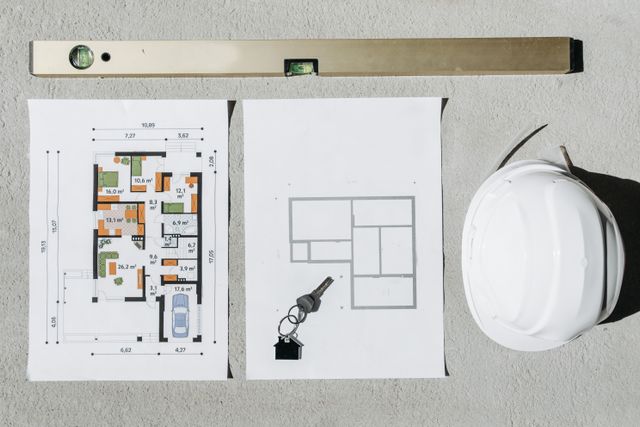
Turn the approved budget into a planning schedule ready to coordinate site work, purchasing, and management, with an interactive Gantt, task links, and analytics in CoPres.
Why is job scheduling still disconnected from the budget?
On many job sites the schedule lives in a separate file —sometimes MS Project, sometimes Excel— while the budget is updated elsewhere. When line items, quantities, or chapters change, someone must rebuild the sequence by hand. The result: deadlines that do not match the estimate, purchasing that misses the real sequence, and management meetings with two different versions of the project.
Construction scheduling should not be a parallel exercise: it should grow from the same structure that defines cost and scope. That is what an integrated scheduling module on top of a live budget delivers.
From budget to schedule in one click
CoPres automatically builds scheduling activities from the approved budget structure: phases, chapters, subchapters, and line items keep the same hierarchy and code order. There is no need to rewrite names or manually reorder hundreds of rows.
When the active project budget is updated, scheduling syncs while keeping valid dates and relationships on activities that still exist. The schedule stays tied to the project —not as a stale export but as a live planning layer on top of the estimate.
Interactive Gantt with hierarchy and scalable timeline
The schedule is shown in CoPres's own Gantt with a multi-level timeline —year, month, week, and day— plus zoom, fit-to-screen, and horizontal pan. The budget hierarchy is expandable: collapse or expand the full structure to focus on one chapter or present the entire schedule to the team.
Activity rows highlight weekends in gray, which helps read durations in working days. Drag bars to adjust start dates and resize the right edge to change durations, with a live day count label while you edit.
Links and dependencies between activities
The logical job sequence is modeled with four dependency types: finish-to-start, start-to-finish, start-to-start, and finish-to-finish. Create links by dragging from bar ends on the Gantt or manage them in the task editor.
When a predecessor changes date or duration, constraints propagate according to the link type. Engineering can close the sequence across chapters —foundations before structure, MEP after walls— without recalculating dates one by one.
Analytics report for management and engineering
Below the Gantt, CoPres offers an executive-style analytics report with KPIs and charts: scheduled days per chapter, linked vs unlinked activities, dependency types, and cumulative duration curve.
The link explorer filters by link type —finish-to-start, start-to-finish, and more— or lists unlinked activities when the sequence is incomplete. A searchable modal by code or name makes it easy to audit predecessors and successors before presenting the schedule to purchasing or management.
Job planning, not physical progress tracking
CoPres scheduling is planning-oriented: it defines when each activity should run based on durations and dependencies. It does not replace —for now— physical progress tracking on site; execution control will come in a future dedicated module.
Even so, planning already delivers operational value: it anticipates material and labor needs along the programmed sequence, helps align milestones with management, and gives the team a clear schedule aligned to the active project budget.
Benefits of a budget-connected schedule
These are the capabilities engineering, purchasing, and management use when scheduling in CoPres:
- Generate the schedule from the budget in one click, keeping the same hierarchy and code order as line items.
- View the Gantt with zoom, fit-to-screen, horizontal pan, and weekends highlighted on activity rows.
- Define activity links (finish→start, start→finish, start→start, and finish→finish) from bar ends or the task editor.
- Adjust dates by dragging bars and change durations by resizing the right edge, with a live day count label.
- Analyze planning with executive-style charts: days per chapter, linked vs unlinked activities, and dependency types.
- Explore links by type in a searchable modal and review unlinked activities when the sequence is incomplete.
- Collapse or expand the full hierarchy to focus on a chapter or present the entire schedule to the team.
- Anticipate material and labor needs and communicate deadlines with a clear schedule aligned to the active project budget.
Start scheduling your job in CoPres
If you already have a budget in CoPres, open the Scheduling module on the active project and generate the schedule in one click. Adjust durations, define links, and review the analytics report before sharing deadlines with purchasing or the client.
If you are new to CoPres, create a free project, import your budget from Excel with AI, and move straight to time planning without duplicating work across tools.
Frequently asked questions
- How is the schedule generated from the budget in CoPres?
- When you open the Scheduling module, CoPres creates activities automatically from the budget structure —phases, chapters, subchapters, and line items— keeping hierarchy and code order.
- What link types does the Gantt support?
- Finish-to-start, start-to-finish, start-to-start, and finish-to-finish. You can create them from bar ends or edit them in the task panel.
- Does the schedule update when I change the budget?
- Yes. Scheduling syncs with the active project budget and keeps valid dates and relationships on activities that remain.
- Does CoPres record physical job progress on the Gantt?
- The current module is for planning, not physical progress tracking. Execution control on site will come in a dedicated module.
- Can I see which activities have no links?
- Yes. The analytics report and link explorer show unlinked activities and let you filter them in a searchable modal by code or name.